

Delivery-App Orders and Your Restaurant POS in Qatar
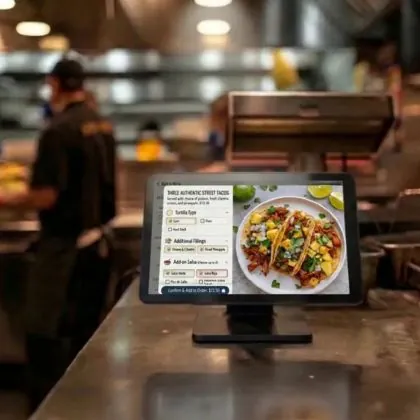
Delivery-App Orders and Your Restaurant POS in Qatar

Authored by
AstenAI Team
Date Released
9 November, 2026
For many restaurants in Doha, Lusail and Al Wakrah, a busy evening means a counter full of tablets: one for Talabat, one for Snoonu, maybe more, all chiming while the kitchen works from a separate screen. Managing delivery-app orders with your restaurant POS is now a daily operational question, not a technical side project. This guide compares manual and integrated workflows, explains menu sync, order injection and reconciliation, and lists the questions to ask your POS vendor before you commit.
Why delivery orders get messy
Each delivery platform has its own tablet or merchant app, its own menu, its own order numbers and its own payout report. Your POS has its own item list, kitchen printing and sales reports. When the two do not talk to each other, gaps appear: a sold-out item is still live on one app, a price changes in the POS but not on the platform, or an accepted order never reaches the POS, so stock and sales figures drift.
Manual vs integrated: delivery-app orders in your restaurant POS
There are three common ways restaurants in Qatar handle delivery orders. The right choice depends on order volume, branch count and how much your team can manage at peak times.
Manual re-entry
Staff accept the order on the platform tablet and then key it into the POS as a delivery order, usually under a dedicated channel or customer type for each app. This needs no technical work and keeps kitchen tickets and stock in one system. The downside is double entry: at peak times orders can be mistyped, delayed or missed altogether.
Integrated order injection
In an integrated setup, the platform order flows automatically into the POS, prints in the kitchen and is recorded under the right channel without anyone retyping it. This saves time and reduces errors, but depends on what the platform allows, what your POS supports and sometimes a third-party middleware service. Availability and fees vary, so confirm them in writing for your outlets.
Hybrid approach
Many outlets enter lower-volume apps manually and integrate only their busiest channel. That is fine as long as every order ends up in the POS under the correct channel.
Menu sync: prices, items and availability
Menu sync means keeping each platform menu aligned with your POS menu: item names, modifiers, prices and whether an item is available right now. Even with a manual workflow, you can make it easier:
- Use one master item list in the POS and map each platform item to it, with matching codes or names.
- Keep a separate delivery price list if delivery prices differ from dine-in prices, instead of editing prices item by item.
- Agree a sold-out routine so the person who marks an item unavailable in the POS also pauses it on every app.
- Review modifiers regularly such as sizes, add-ons and combos, which are the most common source of mismatches.
Pricing also has a regulatory side. In April 2026 the Ministry of Commerce and Industry announced guidelines for delivery services and digital platforms. As reported by local media, restaurants may keep a separate price list for delivery platforms, platforms should not change prices or impose discounts without the provider's consent, fees and commissions must be disclosed in contracts, and providers must honour announced prices and disclose preparation times. Check the current requirements, including any price approval or registration, directly with the Ministry of Commerce and Industry before changing your price lists.
Order injection: what good looks like
Whether orders arrive automatically or are keyed in, a well-run delivery flow in the POS usually has:
- Channel tagging: every order is labelled with its source app, so sales by channel are visible.
- Platform order reference: the app's order number is stored on the POS bill for later matching.
- Kitchen routing: delivery tickets print or display in the kitchen with clear preparation targets.
- Payment type: each order is recorded as prepaid through the platform or cash on delivery, so cash counts stay accurate.
- Cancellation handling: cancelled or rejected orders are voided with a reason rather than deleted.
The MoCI guidelines also describe order-confirmation mechanisms and shared liability for unreceived cash orders, so clear POS records of what was prepared, when and for which platform are worth having.
Reconciliation: matching payouts with POS sales
Platforms usually pay out net of commission, promotions and adjustments, so their statements rarely match your POS totals line for line. A simple weekly routine helps:
- Export POS sales for each delivery channel for the payout period.
- Download the platform's order and payout statement for the same period.
- Match orders using the platform order reference, then list any missing, cancelled or refunded orders.
- Separate commissions, platform-funded and restaurant-funded discounts, and delivery-related charges.
- Post the net payout and fees to your accounts so profit by channel is visible.
Qatar does not currently apply VAT. In May 2026 the Cabinet approved a draft e-invoicing law and its executive regulations, but technical details and timelines had not been published at the time of writing. Keeping clean, digital sales records by channel now will make any future requirements from the General Tax Authority easier to adopt.
Questions to ask your POS vendor
Before you sign, ask for written answers to these questions:
- Which delivery platforms can send orders into your POS for outlets in Qatar today, and through which method or partner?
- Are there extra setup or monthly fees for integration, and who charges them?
- Can menu items, prices and availability be pushed from the POS to the platforms, or are orders only pulled in?
- What happens if the internet connection or the integration fails during service?
- Can I see sales, discounts and commissions by channel and by branch?
- Can I export data for reconciliation and accounting?
- Who supports us locally in Doha, and during which hours?
Frequently asked questions
Do I need an integration to use delivery apps with my POS?
No. Many restaurants run well with manual entry, especially at lower volumes. What matters is that every order is recorded in the POS under the correct channel. Integration becomes more valuable as order volume and branch count grow.
Can my prices on Talabat and Snoonu differ from my in-store prices?
According to the MoCI guidelines announced in April 2026, providers may keep a separate price list for delivery platforms. Confirm the current requirements, including any approval or registration of prices, with the Ministry before you change anything.
How often should I reconcile delivery payouts?
Weekly works for most outlets, or at least once per payout cycle. Waiting until month end makes missing or disputed orders harder to trace.
Next steps for your restaurant
Getting delivery-app orders and your restaurant POS working together is mainly about a clear routine: one master menu, channel tagging, cash and cancellation control, and regular reconciliation. Dine Out Pro by AstenAI is restaurant POS software for restaurants, cafés and cloud kitchens. Learn more on our restaurant software page, see how dine-in ordering works on our tab ordering software page, or visit Dine Out Pro. Ask us about integration options for your outlets; pricing depends on users, branches and modules. Book a demo on WhatsApp or reach us through our contact page.



Let’s Build Future Together.
